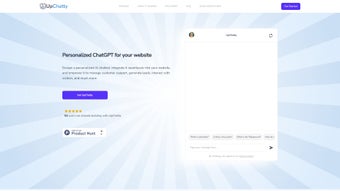

Download UpChatty – AI Chatbot for Website Engagement, Lead Generation & Support
Overview
UpChatty is a subscription‑based AI chatbot engineered to transform the way businesses interact with visitors on their websites. By blending conversational intelligence with a highly customizable training engine, UpChatty delivers real‑time assistance, captures qualified leads, and automates routine FAQ handling. The platform’s design focuses on simplicity: you can embed the bot via a widget, an iframe, or a share code, making it compatible with virtually any content management system—from WordPress and Shopify to custom‑built sites.
Security is baked in; all user data resides on encrypted servers that comply with modern privacy standards, and the service supports over 80 languages, enabling global outreach without additional plugins. Whether you run a small e‑commerce shop or a multinational corporation, UpChatty offers a scalable solution that grows with your brand, delivering consistent, on‑brand dialogue that boosts conversion rates and reduces support costs. Its model‑cascading architecture lets you combine multiple AI models, fine‑tuning responses for accuracy and relevance, while the built‑in FAQ module streamlines repetitive inquiries.
In short, UpChatty is not just another chatbot—it’s a comprehensive engagement hub that puts your brand’s voice front and center, 24/7.
Beyond the core conversation engine, UpChatty provides a robust analytics dashboard that visualizes visitor interaction, conversion funnels, and sentiment trends, allowing marketers to fine‑tune messaging on the fly. The solution also integrates seamlessly with popular CRMs, email platforms, and e‑commerce gateways, ensuring that captured leads flow directly into your sales pipeline without manual data entry. For teams that demand compliance, UpChatty offers granular data‑retention controls, audit logs, and the ability to self‑host the chatbot in private cloud environments for ultra‑sensitive industries. Pricing is tiered to accommodate startups through enterprise‑level deployments, and a 14‑day free trial removes the barrier to testing the platform on a live site. All these elements combine to make UpChatty a future‑proof, secure, and performance‑driven tool for any organization seeking to elevate website engagement, automate support, and accelerate lead generation.
Key Features & Benefits
- Real‑time Visitor Interaction: Instantly engage site visitors with natural‑language responses, reducing bounce rates and increasing dwell time.
- Lead Generation Engine: Capture contact information through conversational forms, qualify leads with custom scoring, and export data to your CRM.
- Customizable Training Data: Upload CSV, JSON, or plain‑text files to teach the bot your specific product terminology and brand tone.
- Model Cascading Technology: Combine multiple AI models (e.g., a fast‑response model for simple queries and a deep‑learning model for complex issues) to balance speed and accuracy.
- Multi‑language Support: Communicate in more than 80 languages, with automatic language detection and translation for seamless global coverage.
- Secure Encrypted Storage: All conversational logs and user data are stored on AES‑256 encrypted servers, meeting GDPR and CCPA requirements.
- FAQ Module: Build a searchable knowledge base that the bot can reference, reducing the need for human intervention on common questions.
- Easy Embedding Options: Deploy via a lightweight widget, an iframe, or a share code snippet, compatible with any website framework.
- Analytics Dashboard: Track engagement metrics, conversion rates, and user sentiment in real time to fine‑tune performance.
- Continuous Updates: Receive regular AI model upgrades and feature enhancements without any manual patching.
The benefits of these features extend far beyond mere automation. By delivering instant, accurate answers, UpChatty helps reduce the workload on human support agents, freeing them to focus on high‑value tasks. The lead generation tools turn casual browsers into qualified prospects, feeding your sales pipeline directly from the chat interface.
Because the bot can be trained on your own data, the conversations always reflect your brand’s personality, fostering trust and loyalty. Moreover, the multi‑language capability eliminates the need for separate regional bots, consolidating support under a single, unified platform. Security‑first architecture ensures that sensitive customer information never leaves your control, a critical factor for regulated industries such as finance or healthcare.
Together, these capabilities make UpChatty a powerful ally for any business aiming to boost conversion, improve customer satisfaction, and streamline support operations.
Installation, Usage & Compatibility
Step‑by‑Step Installation
Getting UpChatty up and running is designed to be a frictionless experience. After purchasing a subscription, you receive a unique API key and a short setup wizard inside the dashboard. The wizard walks you through three primary steps:
- Create Your Bot: Choose a template (e.g., E‑commerce, SaaS, Support) and name your bot. The template pre‑loads common intents to accelerate deployment.
- Train with Your Data: Drag‑and‑drop CSV or JSON files containing FAQs, product specs, or policy documents. The platform automatically maps entities and suggests intents, which you can fine‑tune.
- Embed the Code: Copy the generated JavaScript snippet, iframe tag, or share code and paste it into the
orof your website. For CMS platforms, a dedicated plugin is available for WordPress, Shopify, and Wix, simplifying the process to a single click.
After embedding, the chatbot appears as a floating button on the lower right corner of your site. You can adjust its position, color, and welcome message directly from the dashboard without touching a line of code. A live preview mode lets you test interactions in real time, ensuring the bot behaves exactly as intended before going live.
Usage Tips for Maximum Impact
Once the bot is live, you’ll want to monitor performance and iterate. The analytics panel provides key metrics such as session length, conversion rate, and user satisfaction score. Set up automated alerts for spikes in abandoned chats to quickly identify friction points. Leverage the “Model Cascading” settings to assign high‑priority queries (e.g., purchase intent) to the more sophisticated model, while routing simple “order status” questions to a lightweight responder for instant replies. Regularly update the FAQ module with new product releases or policy changes; UpChatty automatically re‑indexes the content, keeping the knowledge base fresh.
Compatibility
UpChatty’s backend is cloud‑native, meaning it works on any operating system that can run a modern web browser. The admin console is fully responsive, supporting Windows 10/11, macOS 12+, Linux distributions, as well as mobile browsers on Android 8+ and iOS 13+. The embedding code is framework‑agnostic, so whether your site runs on React, Angular, Vue, or classic HTML/CSS, the bot integrates without conflicts. For businesses that operate behind firewalls, a VPN‑compatible endpoint is available, ensuring seamless connectivity without exposing internal networks.
Pros, Cons, FAQ & Final Verdict
Pros
- Highly customizable training data ensures brand‑consistent conversations.
- Model cascading delivers both speed and depth for varied query complexity.
- Multi‑language support expands global reach without extra plugins.
- Secure, encrypted data storage meets strict privacy regulations.
- Intuitive embedding options work with any website platform.
- Robust analytics help optimize engagement and conversion.
Cons
- Subscription pricing may be higher than basic rule‑based chatbots.
- Initial training requires quality data to achieve optimal performance.
- Advanced model settings can be complex for non‑technical users.
Frequently Asked Questions
Can I try UpChatty before committing to a subscription?
Yes, UpChatty offers a 14‑day free trial that includes full access to all features, allowing you to test the bot on your live site and evaluate its impact before purchasing.
How does UpChatty handle data privacy for EU customers?
All conversational logs are stored on AES‑256 encrypted servers located in GDPR‑compliant data centers. Users can request data deletion at any time, and the platform provides tools to export data in a portable format.
Is there a limit to the number of languages the bot can support simultaneously?
UpChatty supports over 80 languages and can detect the visitor’s language automatically. There is no hard limit on simultaneous language usage; the bot switches context based on each user’s input.
Can I integrate UpChatty with my existing CRM or email marketing platform?
Yes, UpChatty provides native integrations with popular CRMs like HubSpot, Salesforce, and Zoho, as well as webhook support for custom connections to any third‑party system.
What kind of support does UpChatty offer to new users?
Subscribers receive 24/7 email support, live chat assistance during business hours, and access to a comprehensive knowledge base that includes video tutorials, best‑practice guides, and community forums.
Conclusion & Call to Action
UpChatty stands out in a crowded chatbot market by delivering a blend of powerful AI, deep customization, and enterprise‑grade security—all wrapped in an interface that anyone can deploy. For businesses that need more than a static FAQ, UpChatty provides a dynamic, multilingual conversational hub that captures leads, reduces support overhead, and keeps visitors engaged 24/7. While the subscription cost reflects its premium capabilities, the return on investment manifests quickly through higher conversion rates and lower support tickets. If you’re ready to elevate your website’s interaction quality, streamline customer service, and harness AI‑driven lead generation, the next step is simple: click the “Start Free Trial” button, set up your first bot, and watch your engagement metrics climb.



.png)



